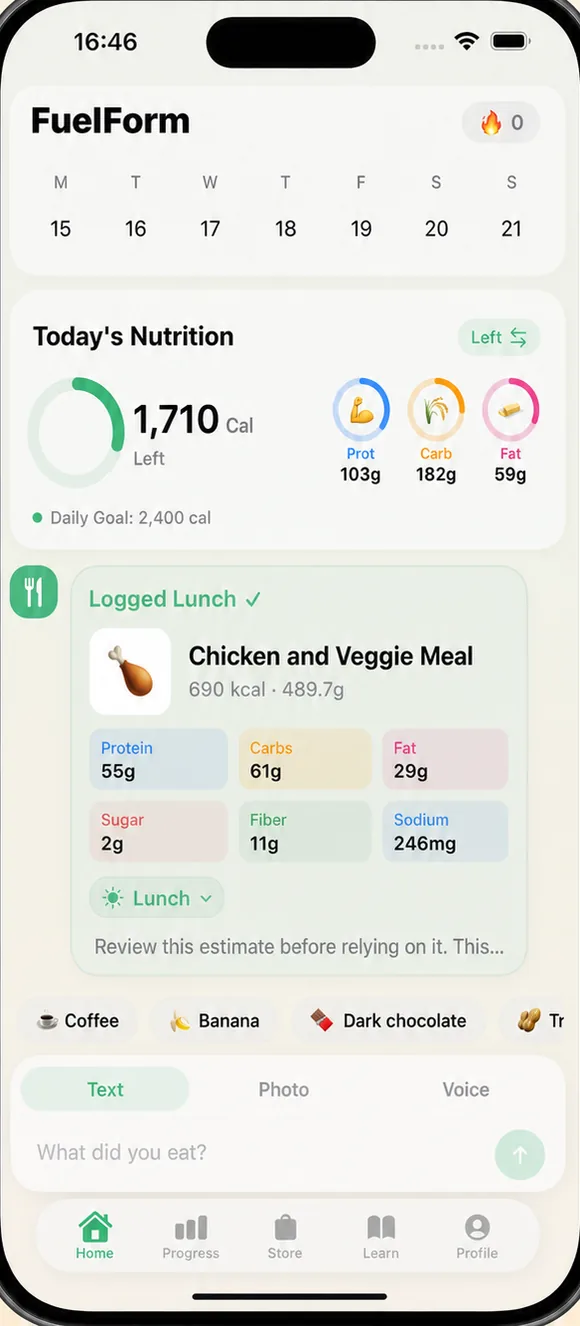
Text logging
“Chicken burrito bowl with extra guac.” Add your portion and any ingredients you know.
Available on iPhone & iPad
FuelForm estimates calories and macros from a photo, voice or text description. Review the food and portion, edit what needs correcting, and keep a daily food diary you can check. Barcode logging is available with Pro.
For iPhone and iPad · Requires iOS or iPadOS 17 or later
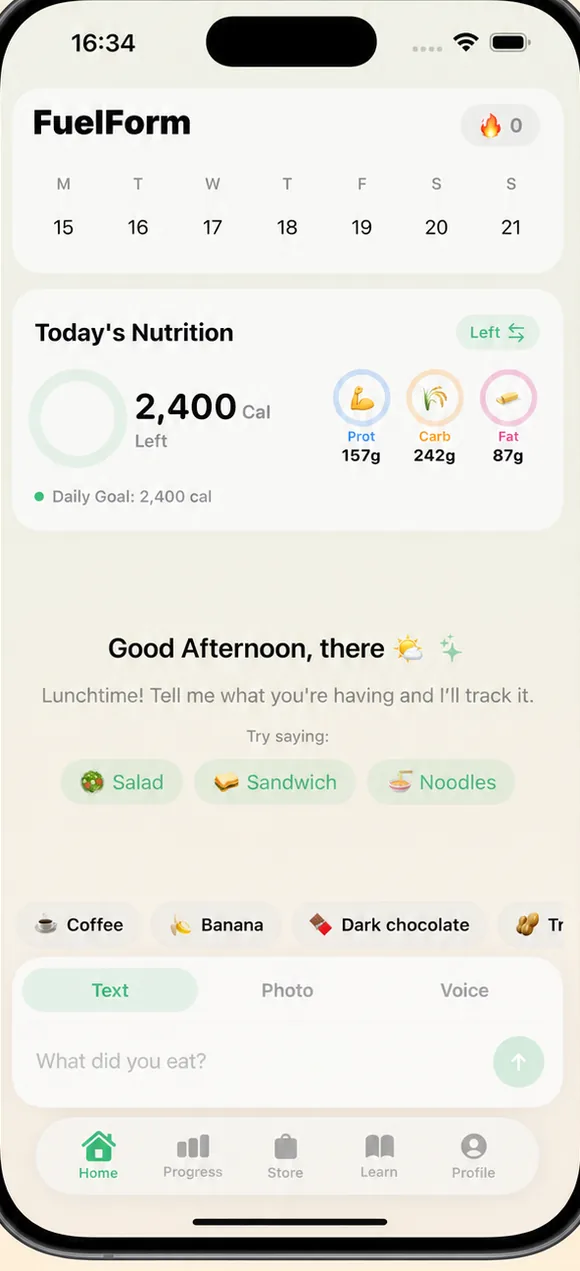
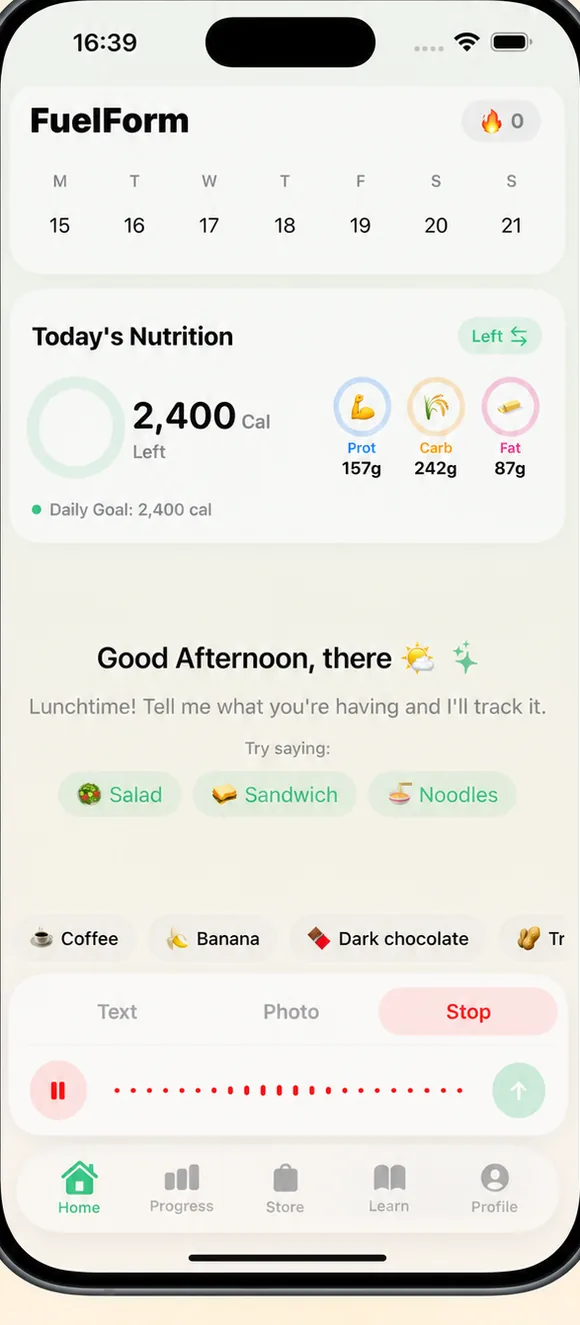
Logging
Describe your meal in plain language, or use a food photo as the starting point. Include the amount, preparation and extras you know. Use a package label to check a packaged food's serving information.
“Chicken burrito bowl with extra guac.” Add your portion and any ingredients you know.
Take or select a food photo, add useful details, and send it for an estimate. See the photo workflow.
Speak your food, portion and additions when typing is inconvenient. See voice logging steps.
Scan a packaged product, then check the match, label serving and amount you ate. A barcode does not measure your portion.
Free includes limited text, voice and photo analysis, today’s diary and meal editing. Pro adds more AI access, barcode, complete History and Progress, with usage limits.
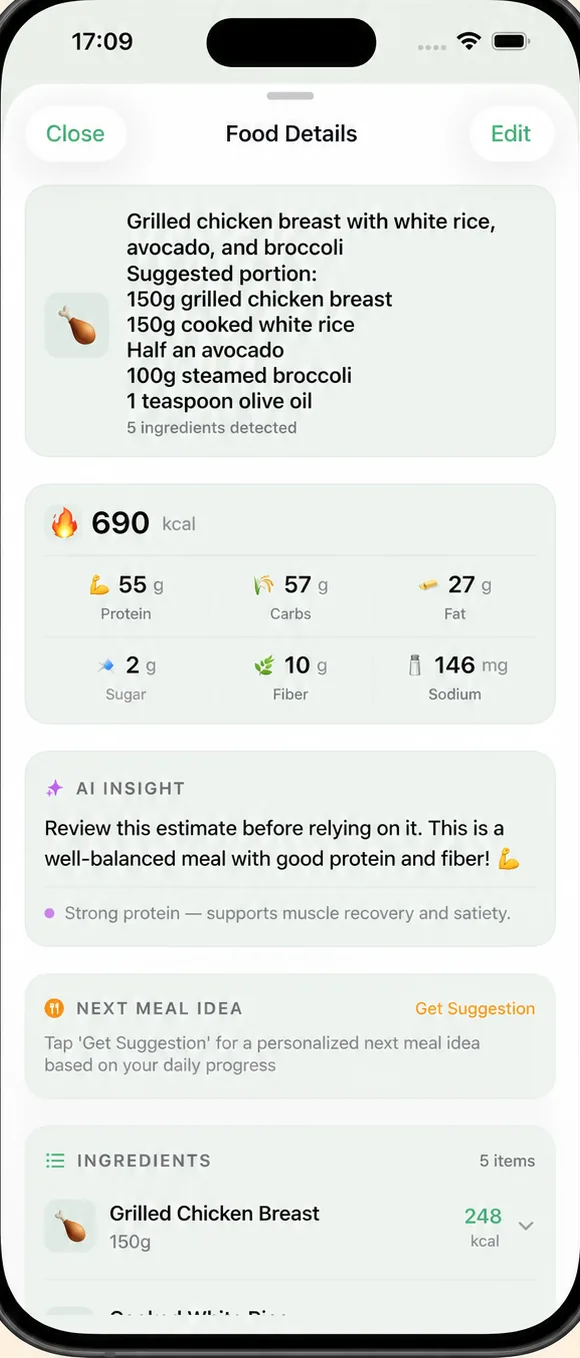
Nutrition
Check the estimated food, ingredients and portions alongside calories, protein, carbs and fat. Use a known serving, recipe or Nutrition Facts label to correct the record when you have better information.
Tracking on a prescribed GLP-1
If you track nutrition while taking a prescribed GLP-1 medication, your food log can help you see what you have recorded. Put protein, fiber, or other nutrients on your Home screen and use goals agreed with your healthcare professional.
FuelForm doesn't screen you, prescribe anything, or ask what you're taking — that's between you and your prescriber. What it does is let you put the numbers that matter alongside your calorie count.
General information, not medical advice. FuelForm is not a medical device and doesn't diagnose, treat or prescribe.
Progress
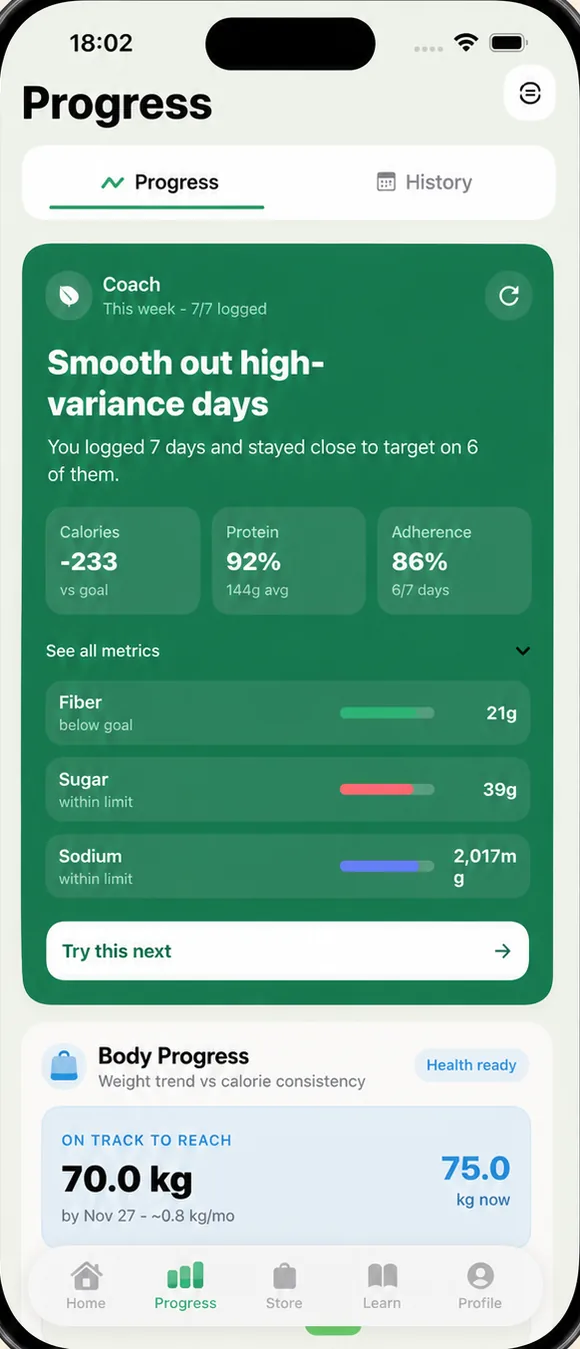
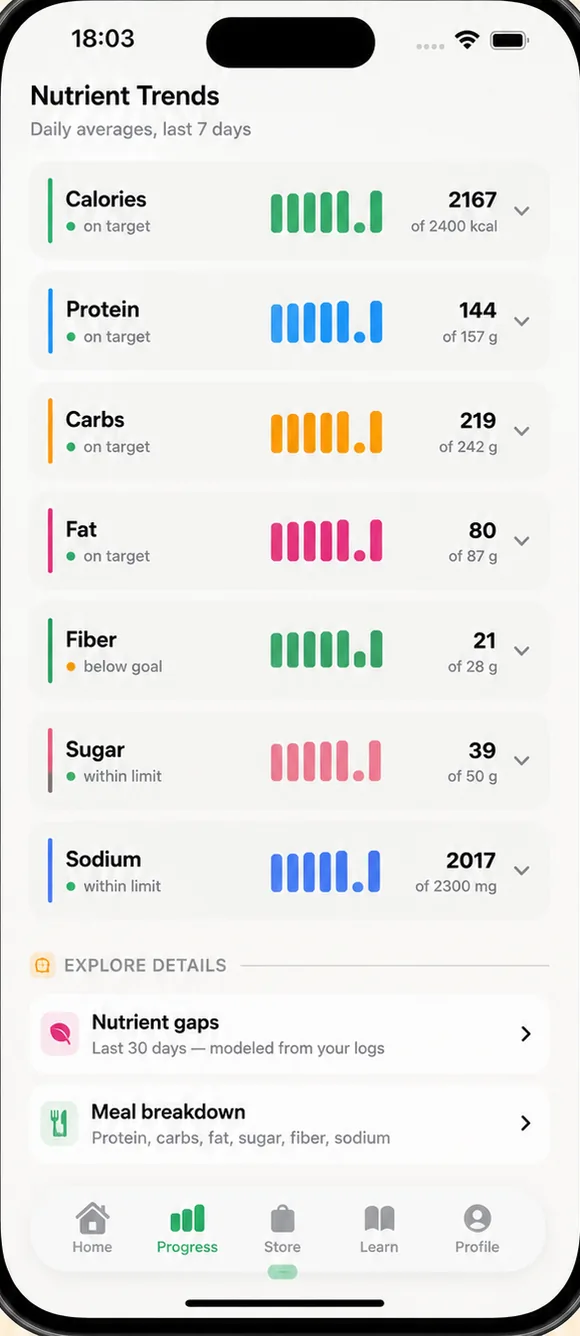
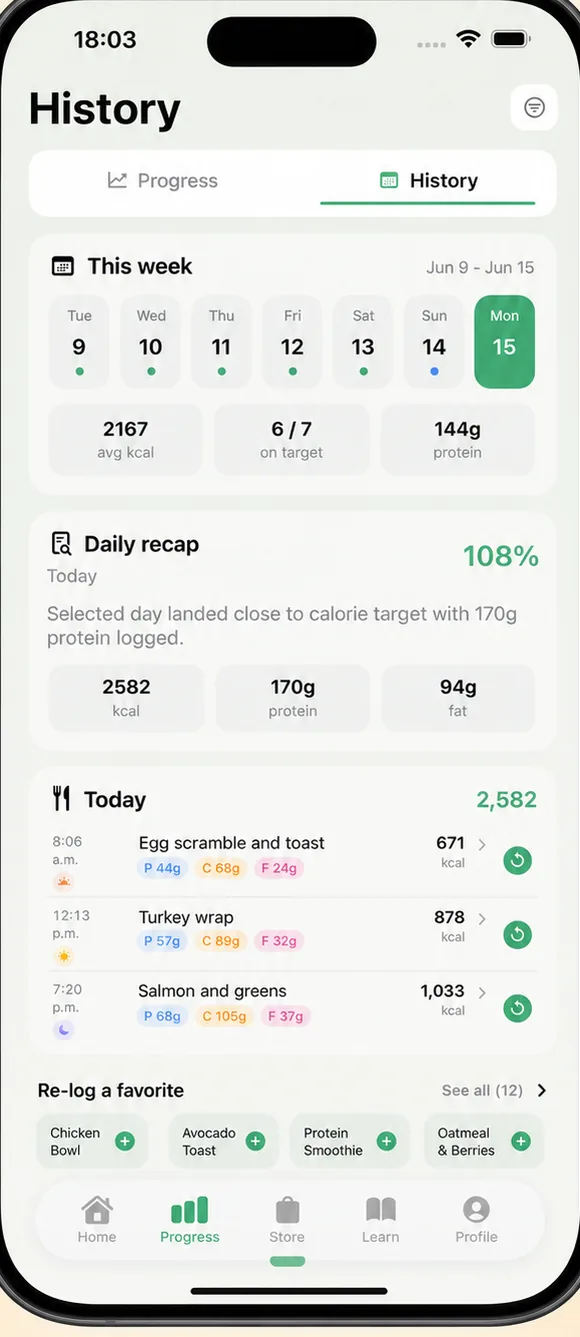
Free access keeps today’s meals available. Pro includes complete History and Progress: revisit logged days, edit an earlier record and review trends built from your entries.
How it works
In Home, type, speak or select Photo. Add known portion details; use barcode with Pro.
Send the description or prepared photo. Complete any required consent, then check the returned food, amount and nutrients.
Open Food Details, then Edit. Check the fields and tap Save after editing; a calorie change can also adjust the displayed nutrients.
Resolve any review prompt. Confirm the meal appears on the intended day and check the recorded calories and macros.
See how to edit a meal in FuelForm · Check food, portions and preparation
Library
Follow the app controls, see screenshots, and learn what to check when reviewing your food log.
Honest by design
Food recognition and portion estimation are different tasks. Oil, sauce and serving size can change the result. FuelForm has no published independently validated accuracy percentage; check the breakdown against the information you have.
How FuelForm estimates nutrition
Product information by Eduard Bazhenov — Founder and Product Owner at FuelForm. Updated .
A closer look
An AI calorie counter estimates nutrition from meal information. FuelForm pairs that first estimate with an editable food diary on iPhone and iPad. The useful result is a record you can inspect, correct and revisit.
Track calories from a photo · Understand estimate accuracy · Compare logging methods
FuelForm keeps estimated calories and nutrients together in your food log. Check individual meals and the day’s recorded totals to review your intake.
Start with today’s meals in Free. Complete History and Progress are part of Pro. A missing or unfinished entry does not establish what you ate that day.
A photo gives visual clues about food and portions; it cannot measure hidden oil, sauce or ingredient weights. Add the details you know before sending the meal.
The photo calorie tracking guide follows Photo, Use Photo, sending, Food Details and Edit Entry, with native interface examples and disclosed sample values.
Include the food, amount, preparation and additions. A description of oatmeal with milk and toppings supplies details a photograph may miss. Voice gives you another way to enter those facts.
See the voice logging walkthrough or our food-logging checklist. Text and voice AI access have usage limits in both Free and Pro.
FuelForm tracks protein, carbs and fat alongside calories, plus fiber, sugar and sodium. In Profile → Nutrition Goals, choose the three nutrients shown on Home and set targets.
Our macro tracker guide shows how a meal, daily Eaten and Left totals, and your goals relate. Use clinician-agreed goals when tracking is part of medical care.
Barcode logging is part of Pro. Check the product match, label serving size and amount you ate. The package’s total and a single serving are different facts.
Read how to read Nutrition Facts labels and preserve known values when reviewing an estimate.
Compare meal inputs, correction controls, device support and subscription access. Our AI versus manual logging guide helps you choose by the information you have.
For documented app features and plan differences, compare FuelForm with MyFitnessPal, Cronometer, Lose It! or Cal AI.
When you change Calories in Edit Entry, other displayed nutrients can also adjust. Check all the fields before Save, then confirm the intended meal and date in your diary. Resolve flagged meals before interpreting their contribution to totals.
See the estimation method and limits or the questions below for access, privacy and supported devices.
An AI calorie tracker uses a meal photo or description to estimate calories and nutrients. FuelForm is an iPhone and iPad app that combines photo, text and voice logging with an editable daily food diary. Barcode logging is available with Pro. Check the food, serving and nutrition before relying on recorded totals.
Yes. In Home, select Photo, take or choose a picture, add useful portion details and send it for analysis. Review the returned food and nutrition, then edit when needed. A picture may leave out cooking oil, sauces or serving size. Photo analysis runs in the app; this website has no photo upload calculator. See how photo tracking works.
AI calorie tracking gives an estimate. Food recognition, portion size, hidden ingredients and preparation can each affect it. FuelForm has no published independently validated accuracy percentage. Use known portions, recipe information or a Nutrition Facts label to check the record when you have them. Read the accuracy limits and evaluation method.
Yes. Open Food Details and choose Edit, or use a flagged meal’s review prompt. In Edit Entry, changing Calories can also adjust the displayed nutrients, so check all fields before tapping Save. Then confirm the meal and intended date in your diary. An ordinary completed estimate already has a record if you leave it unchanged. See the native FuelForm correction example.
FuelForm is free to download. Free includes limited text, voice and photo AI analysis, today’s diary and meal editing. Pro adds more AI access, barcode logging, complete History and Progress, with usage limits too. Check your current access in the app and Apple’s subscription prices and eligible trials before purchase.
FuelForm supports iPhone and iPad running iOS or iPadOS 17 or later. The download buttons open its US App Store listing.
Food photos are sent for AI analysis. The raw image is removed before the resulting food entry is saved locally or through cloud sync. Retention by the AI provider is governed by that provider's terms and privacy policy. Read FuelForm's privacy policy for the data flow.
No. Apple Health is optional. If you connect it, FuelForm can write nutrition data and read weight, subject to the permissions you choose in iOS. You can log meals without connecting Apple Health.
Yes. FuelForm tracks protein, carbs and fat alongside calories, plus fiber, sugar and sodium. In Profile, open Nutrition Goals to choose which three nutrients appear on Home and set your targets. Check Eaten and Left to understand your recorded intake and remaining targets. Use clinician-agreed goals when tracking is part of medical care. Follow the macro tracker walkthrough.

Available now
FuelForm is free to download, with limited free AI logging and optional Pro access. Barcode, complete History and Progress are part of Pro. Current prices and eligible trials are shown through Apple before purchase.
For iPhone and iPad · Requires iOS or iPadOS 17 or later