

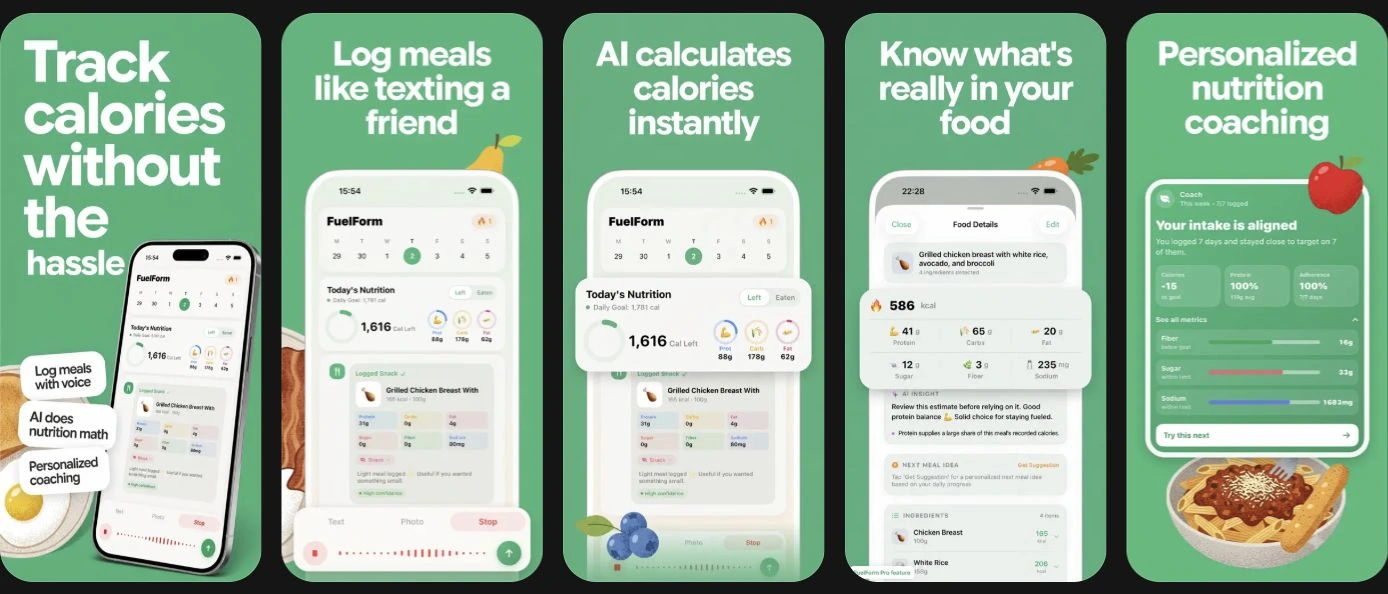
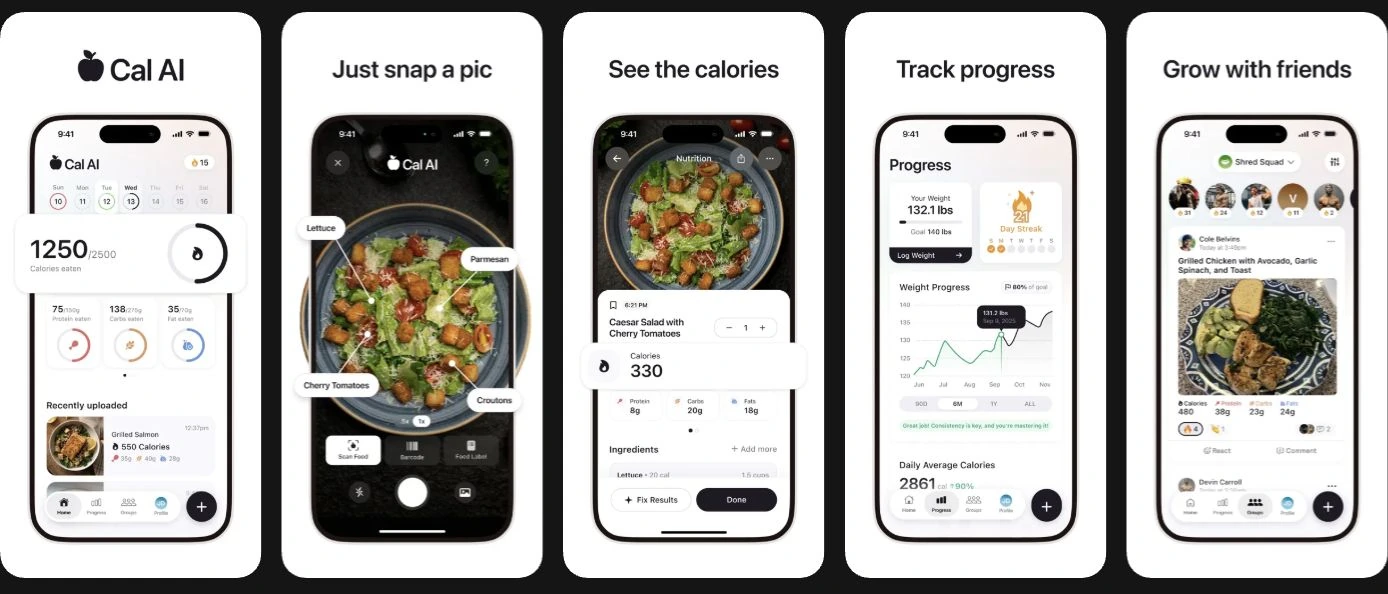
FuelForm and Cal AI both let you start a food log with a meal photo. The useful question is what happens afterward: can you check the estimate, see the nutrients you care about, and keep logging on your device within a plan you understand?
Cal AI is worth considering if its photo-oriented presentation and progress tools fit your routine. FuelForm is worth considering if you want a chat-style diary with several input methods and a Home screen organized around your selected nutrients. Neither choice establishes that a photographed meal has been measured accurately.
How we reviewed these apps
This comparison was written by FuelForm's own editorial team. We reviewed official public pages and US App Store listings on October 13, 2026. We did not install Cal AI, purchase a subscription, or run a timed or nutrition-accuracy test. Both accompanying panels show publisher-supplied screenshot previews from the US App Store.
Our references are Cal AI's website, Cal AI questions, US listing, and privacy notice, alongside FuelForm's public product information and US listing. Features and purchase terms can change; check the current app before paying.
Start with the decision that matters to you
| Your priority | What to check |
|---|---|
| Photographing most meals | Compare the result screen, portion controls, and correction steps; both offer photo entry. |
| Keeping specific nutrients visible | FuelForm lets you select three nutrients for Home. Check whether the alternative presents your priorities as clearly. |
| Using an iPad or an iOS 17 device | FuelForm documents iPhone/iPad support from iOS/iPadOS 17. Cal AI's current listing presents iPhone/Apple Watch and requires iOS 18 on iPhone. |
| Moving an existing food history | Establish a migration route first. Cal AI's FAQ says direct MyFitnessPal history import is unavailable. |
Logging and nutrition: substantial overlap
Cal AI documents photo and barcode entry, written meal descriptions, database search, calories, protein, carbs, and fat. Its website also advertises custom foods, water/exercise logging, and progress tools. Its privacy notice mentions voice logging, but the reviewed product pages do not establish its flow or tier. We therefore do not treat voice as a feature Cal AI lacks. Cal AI website, privacy notice.
FuelForm documents photo, typed description, voice, and barcode entry. It tracks calories, protein, carbs, fat, fiber, sugar, and sodium; you can choose three nutrients for Home and set goals. Logged nutrition values remain editable. FuelForm product information.
For someone watching protein and fiber, the decision is about visibility and repeatable checking. For someone mainly recording a daily calorie total, additional nutrient controls may matter less. This is a choice about your workflow, not proof that one app estimates food better.
Free downloads and subscriptions
Cal AI's US listing explicitly says food-scanning analysis results require a subscription. FuelForm has a limited Free plan and optional Pro features; the current app explains access and purchase terms. A free download should not be read as unlimited free AI analysis. Cal AI listing, FuelForm listing.
Before subscribing, check the billing period, renewal amount, included functions, and trial eligibility. Compare what you would actually use. A longer commitment makes sense after you know the routine works for you. We omit fixed prices because offers, regions, and purchase terms vary.
Corrections matter more than an accuracy slogan
A photo of a salad may show its vegetables while revealing little about dressing or oil. A restaurant portion may also differ from the serving you actually ate. Review those details before treating a total as dependable.
FuelForm's estimation methodology explains its limits and the distinction between internal reliability checks and independent nutrition validation. FuelForm does not publish a validated accuracy percentage. Cal AI's FAQ gives a vendor accuracy figure without a displayed comparable testing method. Those cannot support a numerical ranking. Cal AI FAQ.
Our guide to tracking calories from a photo explains what to check regardless of which app you choose. A useful personal evaluation is to log a familiar meal, compare the identified ingredients and portions with what you know, and see how easily you can correct the record. That evaluates fit; it is not a controlled accuracy study.
Apple Health and privacy need specific questions
Cal AI's FAQ documents Apple Health step syncing. FuelForm describes optional nutrition writes and weight reads, subject to your selected permissions. These are different documented scopes; a shared Apple Health logo does not imply identical behavior. Cal AI FAQ, FuelForm information.
Cal AI's privacy notice covers voice/image inputs, connected health data, and advertising-related processing, while excluding permitted HealthKit data from marketing/advertising use. FuelForm's privacy policy describes AI sharing and other processing. Raw images are removed before FuelForm saves food entries; provider retention has its own terms. Neither statement means no data processing occurs. Read the permissions and policies instead of assigning a privacy winner from a feature table.
A switching checklist
- Identify the entries you need most: photo, packaged products, or spoken/typed descriptions.
- Check device requirements and the nutrients you want to see daily.
- Verify any export/import route before leaving your old diary.
- Try correcting a familiar entry and reviewing its serving size.
- Review Health permissions and the current subscription terms separately.
For other documented options, read FuelForm vs MyFitnessPal, FuelForm vs Cronometer, and FuelForm vs Lose It.
Common questions
Is FuelForm more accurate than Cal AI?
We have not established that. This comparison includes no controlled head-to-head nutrition test, and the available accuracy statements are not comparable validation. Review the identified foods and portions before relying on a photo result.
Does Cal AI have voice logging?
Its privacy notice identifies voice logging. The reviewed public product pages do not clearly establish its availability or plan tier, so confirm that in the current app.
Is Cal AI photo analysis free?
Its US App Store listing says food-scanning analysis results require a subscription. Check the current offer rather than assuming that downloading the app unlocks scanning results.
Can I transfer my history automatically when switching?
Do not assume so. Establish a supported route for your current diary first; Cal AI's FAQ specifically says direct MyFitnessPal history import is unavailable. Keep access to your existing records until you know how to preserve them.


