

Which app fits your food diary?
FuelForm and MyFitnessPal both support photo and voice food logging. The useful choice is how you want to record meals, what you need to review afterward, and which features your plan includes. A camera button alone does not tell you whether an app will fit your routine.
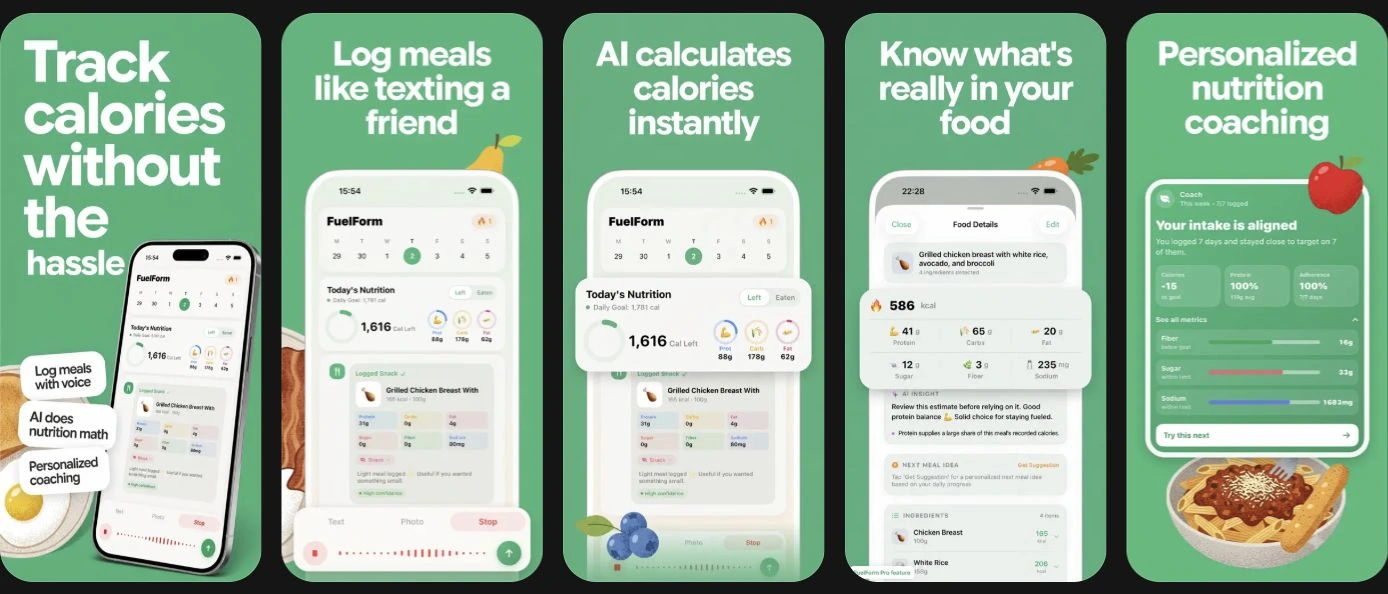
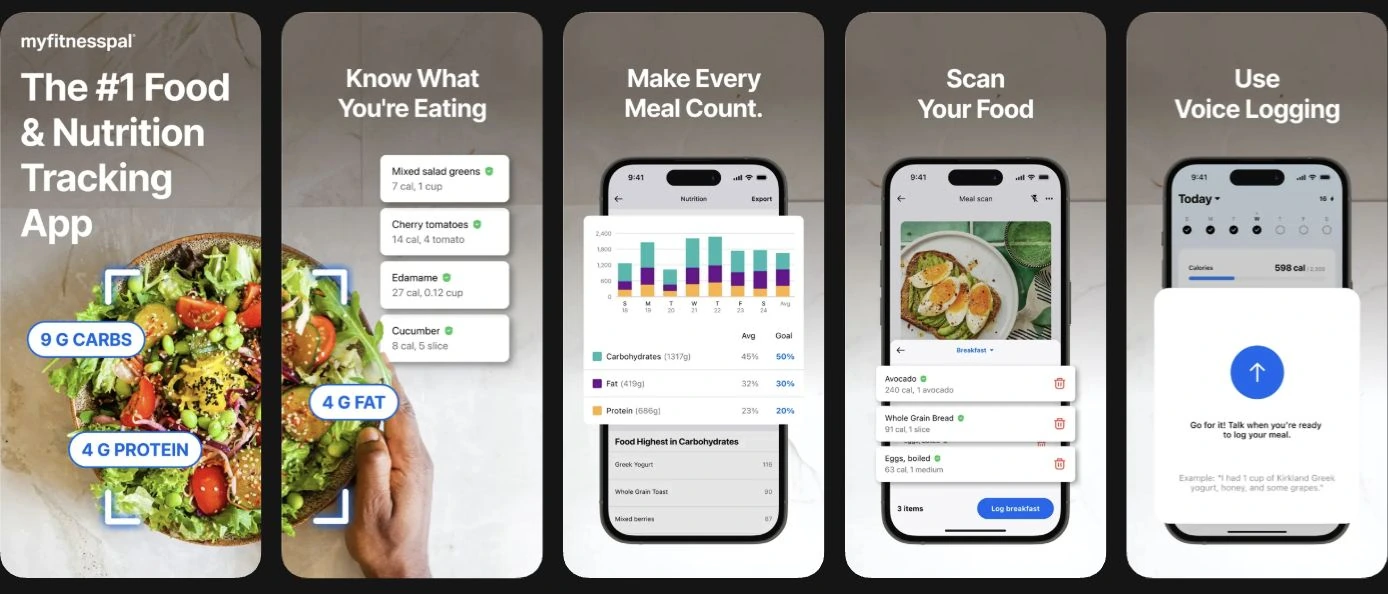
FuelForm brings photo, text, voice, and barcode input into a food diary on iPhone and iPad, with editable nutrition estimates and selectable Home nutrients. MyFitnessPal offers a broader cross-platform diary, a free food-search workflow, and paid shortcuts including Meal Scan, Voice Logging, and barcode scanning. These descriptions come from FuelForm's public listing and MyFitnessPal's plan comparison.
MyFitnessPal may suit you if you want to keep an established diary across the web and mobile, or its existing database workflow already works for you. FuelForm may suit you if you want an Apple-device diary centered on describing meals, checking estimates, and choosing a small set of nutrients to display. These are fit judgments, not measured speed or accuracy rankings.
Features and plan access at a glance
| Decision | FuelForm | MyFitnessPal |
|---|---|---|
| Meal entry | Photo, voice, text, and barcode | Search and manual entry; Premium photo, voice, and barcode |
| Checking an entry | Review and edit estimated nutrition | Review suggested foods and serving sizes before logging |
| Everyday nutrition | Calories, protein, carbs, fat, fiber, sugar, and sodium | Free calorie, macro, and nutrient summaries; extra controls in Premium |
| Goals | Set nutrition targets and choose three Home nutrients | Free percentage-based macro targets; gram-based macro goals in Premium |
| Devices | iPhone and iPad; iOS/iPadOS 17+ | Web, iOS, and Android; current iPhone listing requires iOS 18+ |
| Apple Health | Optional, permission-based supported nutrition writes and body/profile reads | Optional exchange of supported health categories; permissions determine scope |
| Price decision | Limited free access and Pro; check the current offer | Free, Premium, and Premium+; check the current offer |
The MyFitnessPal free-version guide confirms that free users can see both macros and micronutrient information. Its Premium guide explains additional goal controls. FuelForm's feature and subscription boundaries are described in our product FAQ. Plans and compatibility can change; this table reflects the sources checked for this edition.
Photo logging: compare the correction step
MyFitnessPal's Meal Scan instructions describe matching a meal image to foods, adjusting portions, and adding missing items. Meal Scan currently requires Premium, English, and a supported mobile device; it is unavailable on the web.
FuelForm also requires you to treat a photo result as an estimate. A picture can leave out the amount of oil, the contents of a dressing, or a food's actual weight. Our photo calorie tracking guide explains how to add details and inspect the result.
When assessing either app, ask whether you can identify a missing item and correct the serving without losing the rest of the meal. A recognizable image is not proof of a correct calorie total. We have not run a common measured-food dataset through these two apps, so this guide assigns no accuracy winner.
Voice, barcode, and the information you already know
MyFitnessPal's Voice Logging guide documents Premium voice entry on mobile in English, with internet access required. It also lists limitations, including saved My Foods, My Recipes, and My Meals. Check those boundaries if reusable saved entries are central to your diary.
For a packaged food, a label and known serving amount may be more informative than a photo. For an unpackaged meal, a spoken description can supply details that are not visible. FuelForm offers those input choices, but the quality of the entry still depends on the information you provide and review. Our comparison of logging methods explains how to choose between them.
Do not choose solely by how many input buttons an app lists. Consider which method you will actually use, whether it is included in your plan, and how easy its output is to correct.
Nutrient goals, devices, and privacy
FuelForm lets you choose three of protein, carbs, fat, fiber, sugar, and sodium for Home and set your own targets. MyFitnessPal provides a wider diary ecosystem and nutrient views, with some goal controls reserved for Premium. If you want much more detailed nutrient exploration, also read our Cronometer comparison.
MyFitnessPal's Apple Health documentation describes connected categories and troubleshooting. FuelForm's Apple Health access is optional. Integration in both apps is permission-dependent; the phrase “Apple Health support” does not establish identical read/write behavior.
Read MyFitnessPal's developer privacy disclosures and FuelForm's privacy policy before sharing food photos or health information. Those disclosures do not constitute an independent privacy audit. This comparison does not declare either app more private.
A practical checklist before switching
- List the diary tasks you use today: food search, photos, voice, barcode, nutrient goals, and health sync.
- Check current device, language, and subscription requirements for those exact tasks.
- Try an ordinary packaged food and an unpackaged meal. Use known portions and review what each entry includes.
- Inspect the saved entry and the daily totals after a correction. Keep access to the old diary until you know how you will retain its history.
- Compare the actual renewal offer shown to your account. Multiple App Store purchase entries are not a reliable single price for every buyer.
We have not verified a direct transfer of MyFitnessPal history into FuelForm. Treat moving your diary as a separate requirement rather than assuming that choosing an alternative migrates your records.
Common questions
Does MyFitnessPal offer AI photo and voice logging?
Yes. Its official documentation describes Meal Scan and Voice Logging in Premium. Supported platforms, language, and feature restrictions matter, so check the linked guides for your device.
Is FuelForm more accurate than MyFitnessPal?
This research does not establish that. Both workflows require reviewing foods and portions. FuelForm does not publish a validated nutrition-accuracy percentage; see our estimation methodology.
Can I use either app without paying?
Both have free access, but the feature limits differ. MyFitnessPal's current documentation places barcode, Meal Scan, and voice in Premium. FuelForm has limited free access and Pro; check current entitlements before relying on a particular input method.
Which other comparisons should I read?
Read FuelForm vs Cronometer for nutrient depth, FuelForm vs Lose It! for a broader goal-based tracking system, and FuelForm vs Cal AI for another photo-oriented option.


