

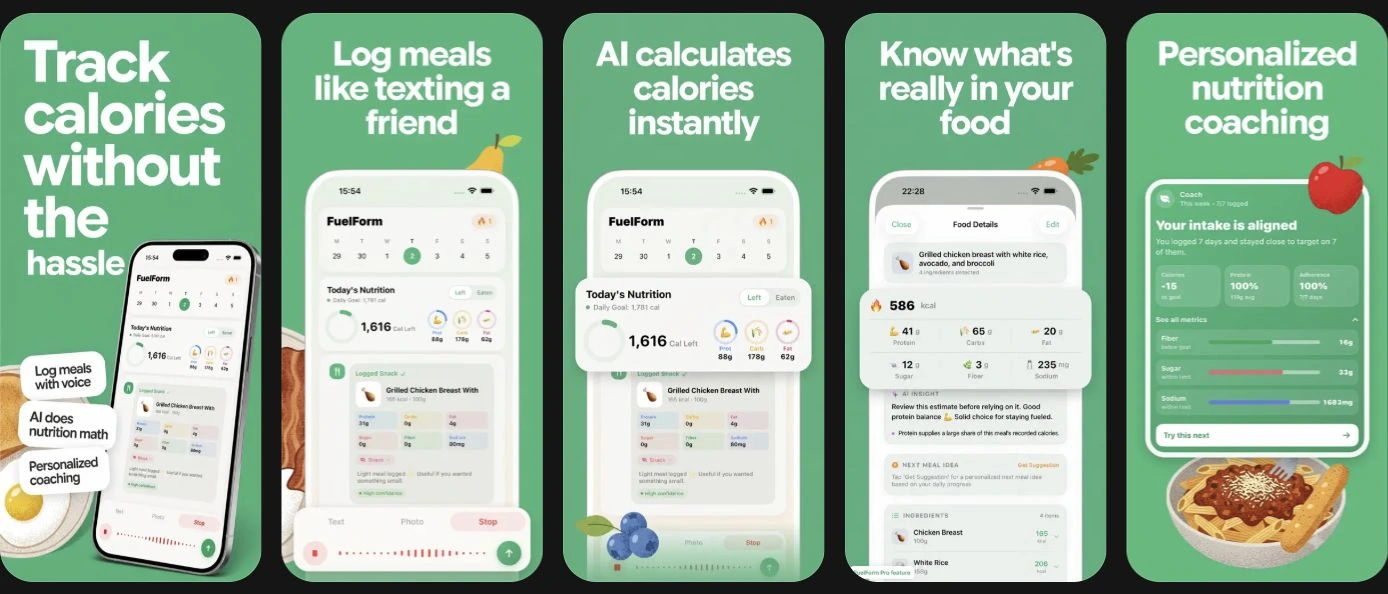
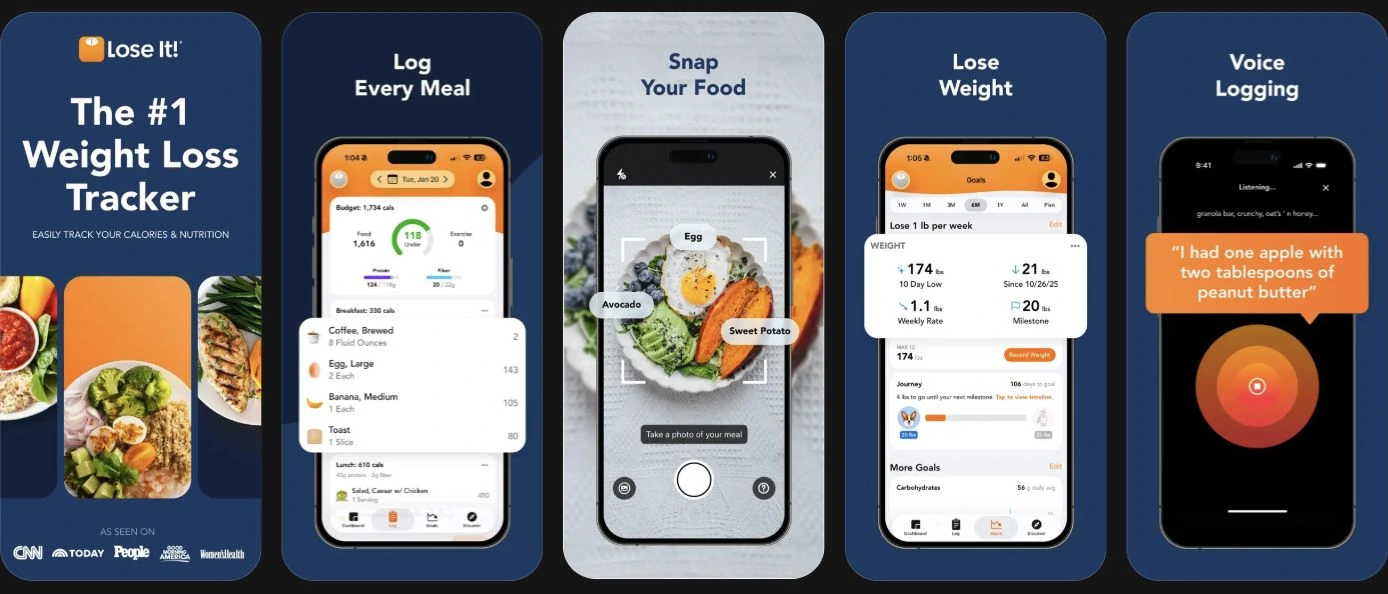
Lose It! and FuelForm both support photo and voice meal logging. The choice is less about whether AI exists and more about the tracking system around it: which nutrients you want, what your plan includes, and how you review a food entry.
Consider Lose It for a wider system of nutrient/health goals, fasting, and fitness connections. Consider FuelForm for a chat-style diary, editable estimates, and selected nutrients on Home. Choose a daily routine you can sustain.
What this comparison can establish
FuelForm's editorial team reviewed official information on October 13, 2026. We did not install Lose It, purchase Premium, or test speed or nutrition accuracy. Both accompanying panels show publisher-supplied screenshot previews from the US App Store.
The principal competitor source is Lose It's US App Store listing. We also used FuelForm's listing, product information, estimation method, and privacy policy. We could not complete a separate review of Lose It's full privacy policy; privacy statements here are limited to its developer-reported Apple label.
Choose by your actual tracking needs
| If this describes you | Decision to make |
|---|---|
| You want vitamins and minerals alongside macros | Evaluate Lose It's Premium nutrient tracking; FuelForm's documented panel is narrower. |
| You want protein, fiber, or sodium visible at a glance | Evaluate FuelForm's three selected Home nutrients and goal controls. |
| You use several fitness devices or want fasting tools | Check Lose It's Premium integrations and whether your exact device and workflow are supported. |
| You mainly want a calorie diary without paying | Look at what the free tier includes before assuming AI entry is included. |
| Your device runs iOS 17 | FuelForm documents support from iOS 17; Lose It's current listing requires iOS 18. |
Logging options and plan boundaries
Lose It's current listing places photo meal logging, AI voice, barcode scanning, advanced nutrition, fasting, meal targets, and fitness syncing in Premium. Its basic tier includes calorie tracking, a weight-loss plan, and community support. It is therefore inaccurate to describe Lose It as a manual-only tracker. Lose It listing.
FuelForm supports photo, voice, typed descriptions, and barcodes, with a limited Free plan and optional Pro access. Its public description states that some AI, history, progress, coaching, and convenience features require Pro. Confirm the current access shown in the app rather than assuming every advertised input is unlimited on Free. FuelForm listing.
Before buying, identify your most common entry method: packaged products, spoken descriptions, or photos. Prioritize the function that makes your diary workable.
Nutrient breadth versus daily visibility
Lose It advertises Premium tracking for macros, sugar, vitamins, minerals, and additional health metrics. FuelForm documents calories, protein, carbs, fat, fiber, sugar, and sodium, with three chosen nutrients on Home. Lose It listing, FuelForm product information.
For a broad nutrient record, check whether your logged foods contain the values you need. A nutrient field cannot supply information missing from the food entry.
For narrower priorities, decide what you need without opening another screen. Someone following an agreed protein or sodium goal may prefer a visible running total. That is an interface preference, not proof that a narrower panel is nutritionally superior.
How to assess estimates and corrections
A photo may omit cooking oil, hide an ingredient, or make a portion difficult to judge. A barcode match also needs the right serving amount. None of the reviewed sources establishes an independent accuracy advantage for either app.
FuelForm lets you reopen logged nutrition values and correct them. Its methodology explains why estimates need review and why internal reliability checks are not independent accuracy validation. Before choosing any tracker, find its correction controls and try a familiar entry whose portion you know.
Check whether an edited serving changes the expected totals, whether the food description remains understandable, and whether you can revisit the entry later. These observations help you assess your own workflow. They do not prove that another meal will be estimated correctly. Our photo-tracking guide covers this review process in more detail.
Connected devices and privacy
Lose It's Premium listing names HealthKit and fitness connections including Fitbit, Garmin, and Withings; the listing does not define every read/write permission. FuelForm describes optional Apple Health nutrition writes and weight reads, controlled by your permissions. Lose It listing, FuelForm information.
Ask what each connection does with your data and inspect permissions to avoid confusing records from multiple sources. Lose It lists iPhone, iPad, and Apple Watch; FuelForm lists iPhone/iPad. Check your intended device's requirements.
Lose It's Apple privacy label reports tracking categories and data linked to identity. This is a developer disclosure, not a security audit. FuelForm's policy explains AI sharing, analytics, and saved-entry handling; provider retention remains separate from raw-image removal before FuelForm saves an entry. Those facts do not justify calling either app universally more private.
Before subscribing or switching
- List your required nutrients, input methods, and connected devices.
- Check the current plan that includes each requirement.
- Confirm an export/import route before relying on automatic history transfer.
- Inspect a corrected entry and the daily totals you will review most often.
- Read the offered billing period, renewal terms, and cancellation route before purchasing.
We omit exact prices because purchase offers and terms vary. For other documented comparisons, read FuelForm vs MyFitnessPal, FuelForm vs Cronometer, and FuelForm vs Cal AI.
Common questions
Does Lose It have photo and voice logging?
Yes. Its current US listing describes both as Premium features. Do not choose between these apps on the assumption that Lose It only accepts manual entries.
What should I check before subscribing?
Confirm that the offered plan includes your essential input methods and nutrient fields. Then check its billing period, renewal terms, and any trial conditions in the current purchase screen.
Is either app proven more accurate?
This article does not establish that. We reviewed documented features rather than running a controlled head-to-head nutrition test. Check the foods, serving amounts, and corrections rather than treating an AI result as a measurement.
Can I use either app on an older iPhone?
Check your installed OS and the current listing. As reviewed, FuelForm requires iOS 17 or later and Lose It requires iOS 18 or later. Check compatibility for your intended device before choosing a subscription.


