

Start with the nutrition question you want to answer
FuelForm and Cronometer both let you record calories and macros, including through photos and voice. The useful choice is how much nutrition detail you want to examine and how you prefer to build your diary.
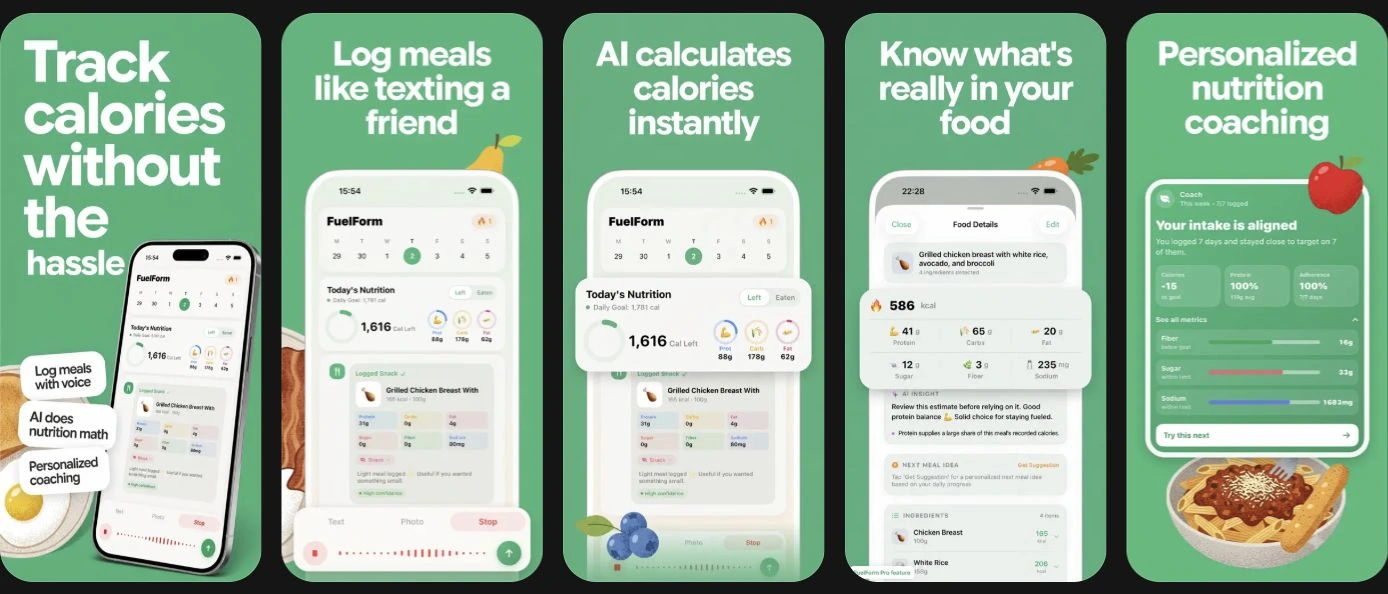
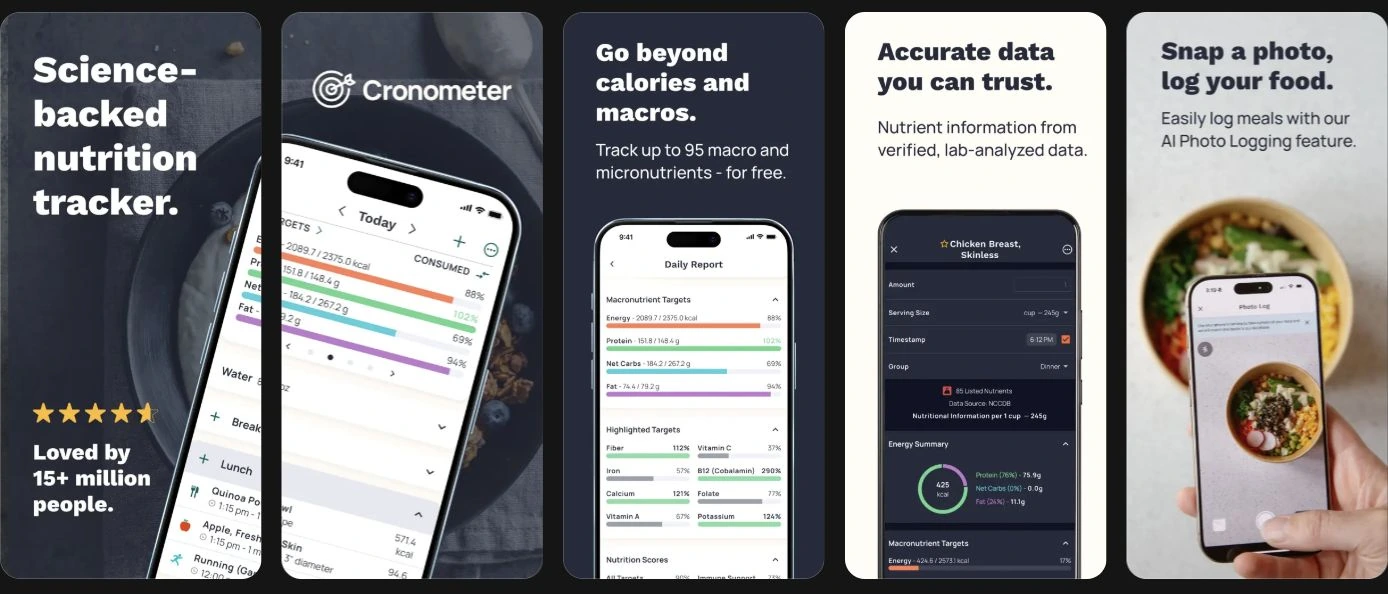
Cronometer's scope is broad: its food-tracking page describes up to 95 nutrients and compounds, including vitamins and minerals. FuelForm's public offering centers on editable meal estimates, calories, protein, carbohydrates, fat, fiber, sugar, and sodium. Its App Store listing also describes hydration, meal history, progress, and optional Apple Health integration.
If you regularly inspect vitamin and mineral intake, Cronometer has a clear reason to be on your shortlist. If you mainly want to describe meals and review a focused set of nutrition values on iPhone or iPad, FuelForm is worth considering. That is a feature match, not a claim that one produces better health results.
The differences at a glance
| What you want | FuelForm | Cronometer |
|---|---|---|
| Nutrition view | Calories, macros, fiber, sugar, sodium | Calories, macros, broad vitamin and mineral detail |
| Ways to start an entry | Photo, text, voice, barcode | Food search, barcode, Gold photo and voice |
| Photo corrections | Review estimated food and nutrition | Review matches, change portions, swap or add foods |
| Devices for everyday logging | iPhone and iPad | Web, iOS, Android |
These are documented capabilities. Cronometer's tracking features, photo guide, and Gold plan explain its side; FuelForm's public website explains its logging workflow.
Broad nutrient coverage has a practical limit
More nutrient fields can answer more questions. Someone looking at magnesium, iron, or vitamin intake needs a different view from someone checking their daily protein and calories. Cronometer supports that broader inspection.
Coverage still depends on the food record. Cronometer's nutrient-target documentation notes that some nutrients have limited information in its data sources, which can make recorded totals lower than actual intake. A sparse record does not establish that you ate none of a nutrient.
FuelForm does not claim equivalent coverage of 95 nutrients. Its smaller documented set may suit a diary organized around everyday meals, but it cannot replace a detailed mineral report when that is your requirement.
Photos and voice still need a review
Cronometer's Photo Logging belongs to Gold. It returns food matches and lets you change amounts, swap matches, add missing foods, and consider suggested ingredients that may be hidden in the picture. Cronometer's photo instructions explicitly ask you to check matches before saving.
Its Voice Logging guide describes Gold access on iOS and Android, with Siri support on iOS. Quantities can need correction, and new foods can use common serving sizes.
FuelForm also accepts photos and spoken or typed descriptions. You can inspect the estimated breakdown and reopen a food entry to correct it. Meals flagged for review need approval or correction before counting toward daily totals, as explained in our photo calorie-tracking guide.
For either app, a recognizable plate can still conceal oil, dressing, or an uncertain serving. Adding what you know about the meal is useful. Our explanation of photo-estimation accuracy covers those limits; this comparison does not establish an accuracy winner.
Goals, devices, and Apple Health
Cronometer supports macro ratios and fixed gram targets, plus customizable nutrient targets. Gold adds a macro scheduler for different days. That can matter if your question goes beyond reviewing a daily total.
FuelForm offers editable goals and nutrient views, with history based on meals you record. Check whether its available targets cover the numbers you actually want to monitor.
Device access is another concrete difference. Cronometer supports web and Android alongside iOS; FuelForm's food logging is in its iPhone and iPad app. Both support Apple Health, with data types controlled through permissions. Cronometer's Health guide explains its import and export options; FuelForm's listing describes approved profile/body imports and supported nutrition writes. Do not assume every chart or historical record transfers between apps.
Check Cronometer's privacy policy and FuelForm's privacy policy before sharing photos or connecting health data. Cronometer's policy distinguishes personal information from aggregated or de-identified information; those categories have different stated uses. Developer privacy disclosures describe a company's practices, rather than establishing an independent audit or a privacy winner. Compare the specific permissions and processing that matter to you.
Compare the free plan with your actual routine
Cronometer offers a free barcode scanner; photo and voice require Gold. Its plan page also places expanded analysis and an ad-free experience in Gold.
FuelForm is free to download, with optional Pro access for some capabilities. Read the current in-app access explanation before deciding which plan suits your logging routine. We omit fixed prices here because purchase options, regions, and offers can change.
A switching checklist
Before replacing an existing diary, check the tasks that matter to you:
- Name your required nutrients. If vitamin or mineral totals are essential, confirm those exact fields rather than counting features.
- Try a familiar packaged food. Check the product match, serving unit, and amount eaten. A successful barcode scan is only the start of the entry.
- Review a meal you know well. Inspect portions and ingredients, then correct one value. Notice whether you understand the resulting total.
- Check your device routine. If you log at a computer or use Android, account for that before moving to an iOS app.
- Protect continuity. Keep the history you need and confirm available export or transfer options before abandoning a previous log.
The most useful result is a diary you can maintain and interpret. You do not need to switch simply because another app has a longer feature list.
Common questions
Is Cronometer's barcode scanner free?
Yes. Cronometer lists barcode scanning as a free feature on its food-tracking page. Its AI photo and voice options require Gold. Match those plan differences to the entry method you use most often.
Does FuelForm track as many nutrients as Cronometer?
FuelForm does not claim Cronometer's coverage of up to 95 nutrients and compounds. Compare the individual values you need; calories and macro tracking alone do not answer every vitamin or mineral question.
Can both apps correct a photo estimate?
Yes. Both document review and correction. Having editable estimates does not establish equal recognition accuracy or guarantee the correct portion.
For other options, read FuelForm vs MyFitnessPal, FuelForm vs Lose It!, and FuelForm vs Cal AI.


